MoTradeSystems — Clarity, not certainty.

Indicators in development

Prop firm rules, drawn on your TradingView chart.

Preview. Not built yet, not for sale. This page tests interest in the Prop Rule Kit: if enough people sign up, we build it. The Dollar Ladder is planned as a free indicator; you can ask to be told when it is out.

Most prop traders keep the rules in their head: how far away the daily limit is, where the drawdown floor sits, when a news window starts. These TradingView indicators put those numbers on the chart, as plain levels and shaded minutes. They warn and they calculate. They never place or block an order, and they give no buy or sell signals.

Three previews

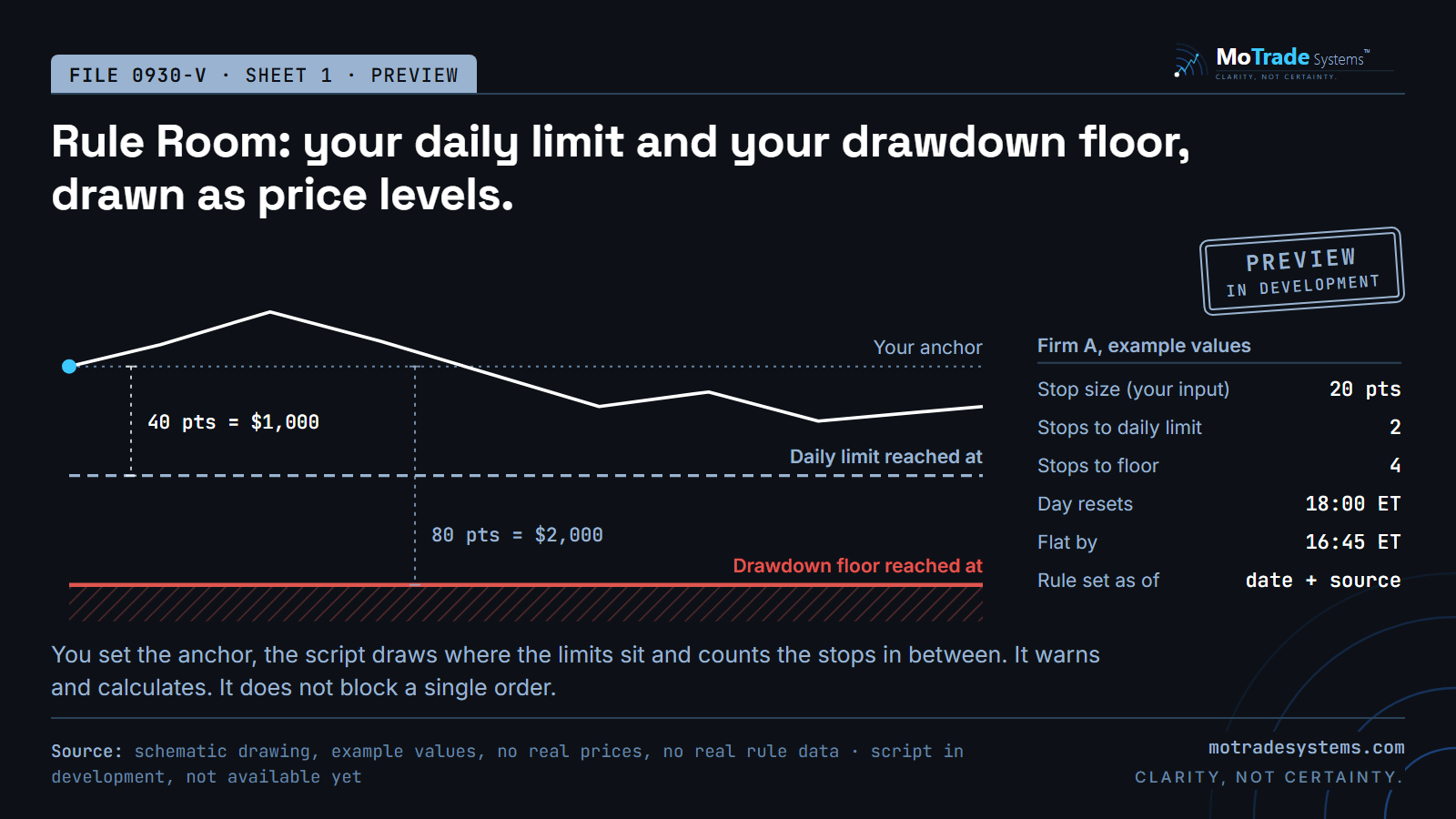
Schematic preview of Rule Room: a price line with an anchor, a dashed daily limit level and a red drawdown floor below it, plus a table of example values for Firm A.

Rule Room

Draws the price level where your daily loss limit is reached and the level where your drawdown floor is reached, from an anchor you set, and counts how many of your stops fit in between. Shows reset time, flat-by time and the date each rule value was checked.

TradingView cannot see your broker account. Balance and day P&L are inputs you type.

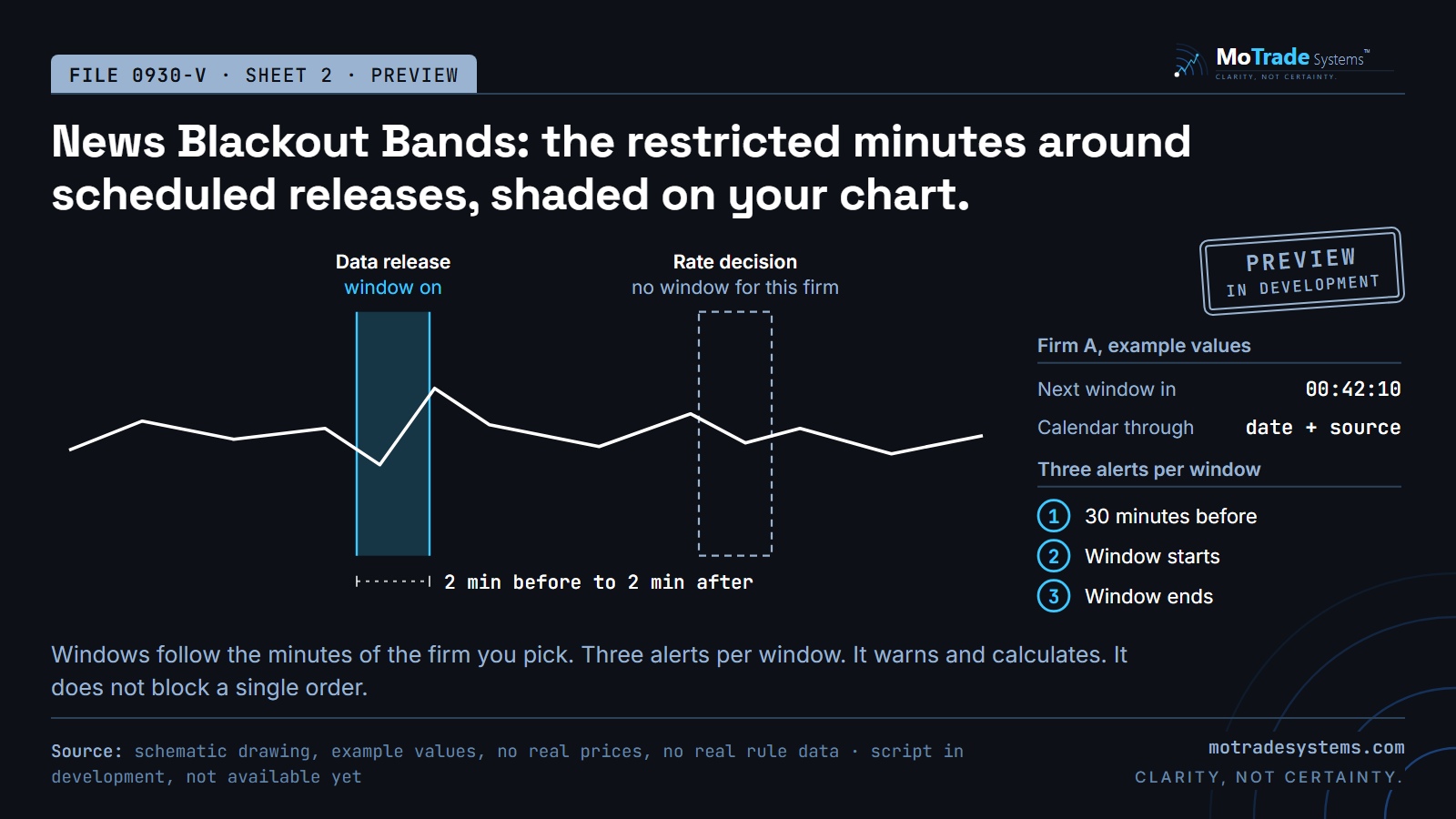
Schematic preview of News Blackout Bands: a price line with one shaded window around a data release, one dashed outline for an event without a window, and a list of three alerts.

News Blackout Bands

Shades the restricted minutes around scheduled economic releases, using the minutes of the firm you pick, and sends three alerts per window: 30 minutes before, when it starts, when it ends. Release dates come from official calendars and are built into each script version. The script shows how far ahead its calendar reaches.

A rule can change after a release of the script. The firm's own current terms always govern.

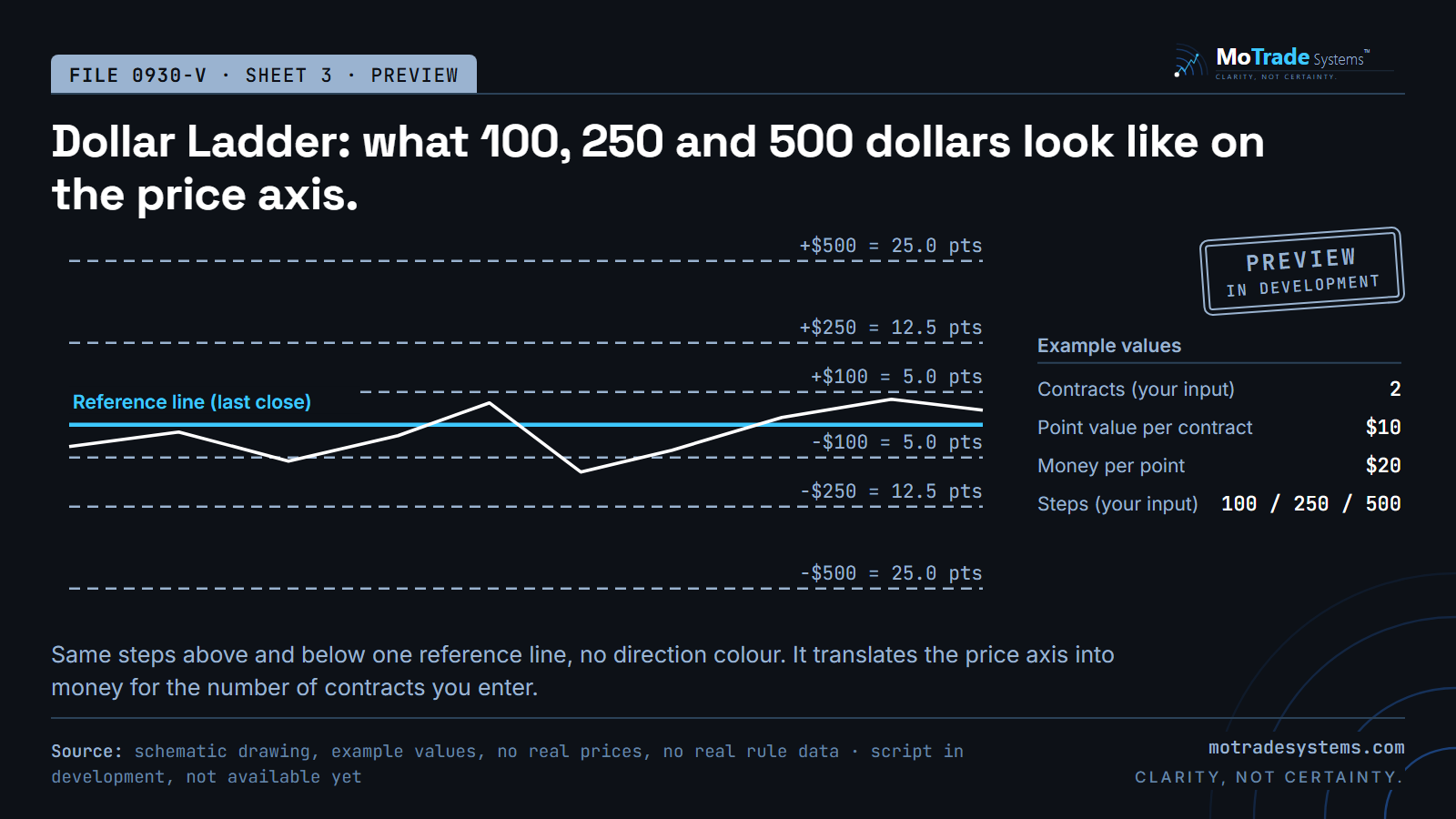
Schematic preview of Dollar Ladder: a reference line with three evenly styled dashed steps above and below, labelled in dollars and points, and a table of example values.

Dollar Ladder

Translates the price axis into money: how many points are 100, 250 and 500 dollars for the number of contracts you enter. The same steps above and below one reference line, one colour, no direction.

It shows distances in money. It says nothing about where price goes.

Schematic drawings with example values. No real prices, no real rule data, and not screenshots of a finished script.

What it costs

The Prop Rule Kit has a planned launch price, one-time, no subscription. You pay nothing now, and the final price is confirmed when the kit is ready to buy. The Dollar Ladder is planned to be free.

  • Prop Rule Kit

    $59

    Rule Room and News Blackout Bands together. Planned launch price.

  • Dollar Ladder

    Free

    Planned as a free indicator on TradingView. Ask to be notified when it is out.

The scripts ship with generic rule models and examples labelled Firm A to F. Named-firm presets with the exact quoted rule and the date we checked it are planned as part of MoTrade Pro, not inside the script.

Tell us which one you want.

Which one are you interested in?
What happens to your address

We use your email address to send you the requested resource and further emails about MoTradeSystems. The controller is MoTradeSystems, Moritz Engerer, c/o COCENTER, Koppoldstr. 1, 86551 Aichach, Germany. The legal basis is your consent (Art. 6(1)(a) GDPR). You can withdraw it at any time with effect for the future — via the unsubscribe link in every email or at support@motradesystems.com.

Details in the privacy policy

Enter your email, then confirm via the link we send (double opt-in). No payment now. For the kit, we email you when it is ready to buy; for the Dollar Ladder, when it is out. If we decide not to build one, we tell you that too. Unsubscribe anytime.

Straight answers

Does it tell me when to buy or sell?
No. No signals, no entry, stop or target levels. It draws limits and distances.
Does it know my account?
No. TradingView cannot see your broker account, so you enter balance and day P&L. The script warns; your broker's platform is what enforces.
Where do the rule values come from?
From each firm's own published terms, with the date we checked. Firms change rules without notice, so a value older than 30 days is marked as such.
What do I need?
A TradingView account. Rule Room and News Blackout Bands are planned as invite-only scripts on TradingView: after purchase you send us your TradingView username and we grant access. The Dollar Ladder is planned as a free script on TradingView.

Educational content only. Not investment advice. MoTradeSystems is not a broker, not a registered investment adviser, and not a prop trading firm. We publish research and education, nothing else.

Trading futures and other leveraged products involves substantial risk of loss and is not suitable for all investors. Past performance is not indicative of future results. This content is for educational purposes only and is not investment advice.

These indicators do not exist yet. Features and prices on this page are plans and can change; this page is not an offer to sell. MoTradeSystems is not affiliated with, endorsed by or sponsored by TradingView or any prop trading firm. TradingView is a trademark of TradingView, Inc.